

We have to allow listed the most trusted and popular services based on domains a long time ago to make sure our customers have the most secure yet smoothest experience while using BitNinja.
However, there were a few services that could not be allow listed based on IP addresses, as their list of IP addresses is not available, or their IP addresses are dynamic and cannot be tracked.
To resolve this issue we have enabled our users to allowlist services based on the domain name.
Step-by-step guide:#
- Open the Configuration menu on your BitNinja dashboard.
- Select the setting level on the left side. (server-level, server group-level, account-level)
- Click on Advanced Modules and select the "Shogun" module
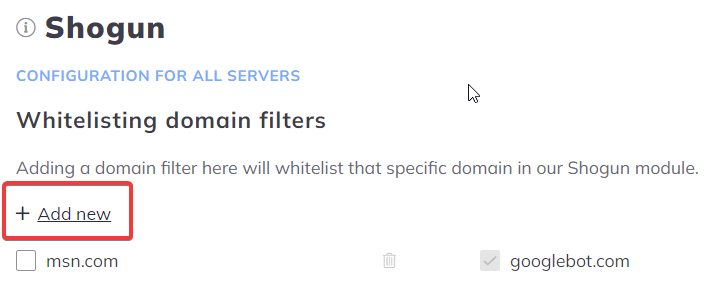
- Click on the "+ Add new" sign under the "Whitelisting domain filters" section
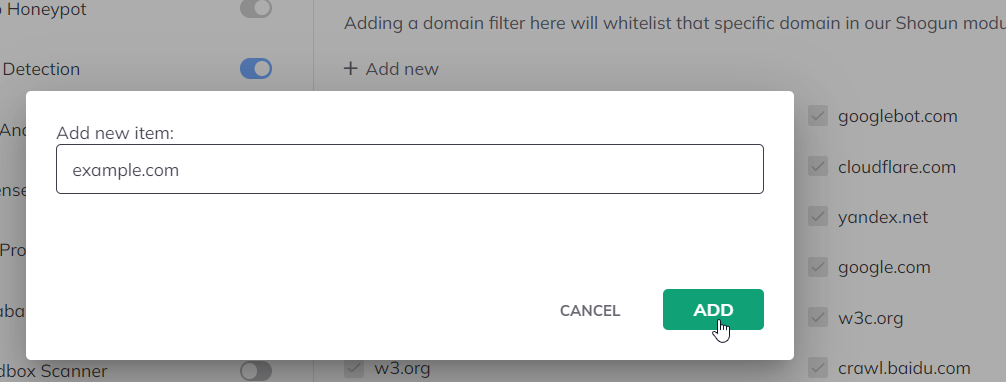
- Add the domain
- Click on Apply at the top of the page