

The blocked IP(s) are shown when trying to connect to these services and simultaneously running the following command on the server (from the command line):
- Use the
netstat -ntpu | grep SYN_SENTcommand to check if the connection is blocked - Check what blocks the IP address with this command:
for set in $(ipset -L -n); do echo $set; ipset test $set 199.199.199.199; done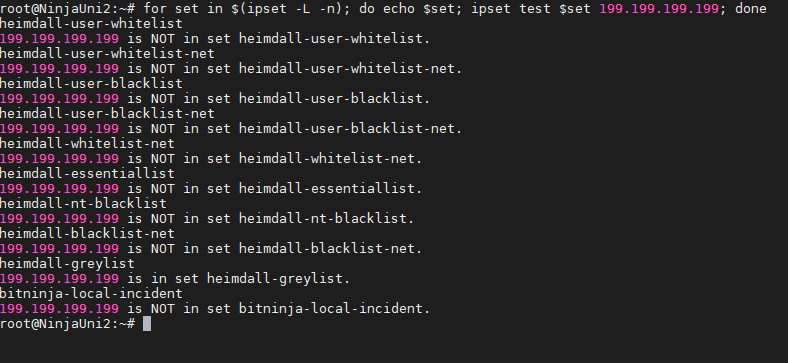
How to delist the IP address if it is blocked by BitNinja:#
- Enter the IP address into the search bar at the top
- Click on the “-Challenge list “ or “-Blocklist” button at the top
You can also use the BitNinja CLI to delist the IP address:bitninjacli --greylist --del=199.199.199.199orbitninjacli --blacklist --del=199.199.199.199